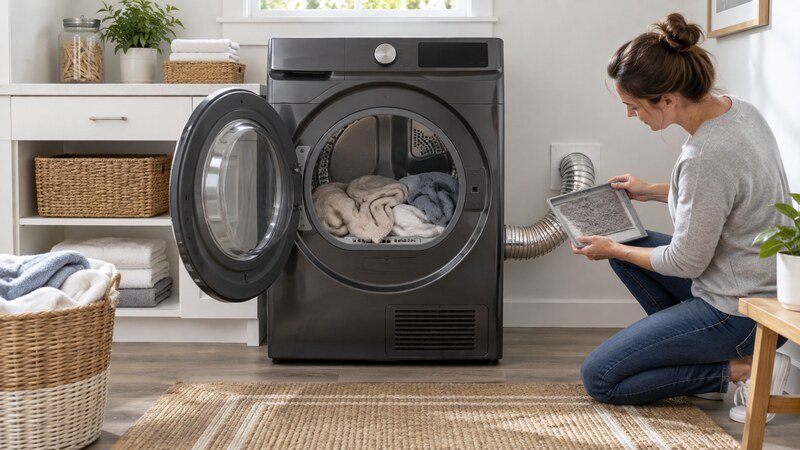
If your Samsung dryer shuts off after a few minutes, first compare a Sensor Dry cycle with a timed cycle, then check the load size, lint filter, exhaust airflow, door closure, and power supply. A sensor cycle can end early when a very small or partly dry load does not touch the moisture bars. If the dryer also stops on Time Dry, becomes unusually hot, or will not restart until it cools, restricted airflow, an overheating motor, a door-switch fault, or an electrical problem is more likely.
Safety first: Stop the appliance and disconnect power before removing a filter cover, access panel, hose, or internal part. Never test energized components. For gas dryers, wiring, a repeatedly tripping breaker, a burning smell, a hot cord, a leak, or major disassembly, use a qualified technician.
What the Symptom Tells You
- Ends normally with “End” or the completion chime: suspect load sensing or cycle selection.
- Display and drum go completely dead: check the circuit, cord, outlet, and possible motor overheating.
- Stops only when hot and restarts after cooling: stop using it until airflow and internal temperature controls are checked.
- Stops when the door vibrates: inspect closure and keep the machine out of service if the latch will not hold.
Samsung Dryer Shuts Off After a Few Minutes: 8 Safe Checks? Step-by-Step Diagnosis
1. Test Time Dry Against Sensor Dry
Run a small load of damp towels on a timed heated cycle. If Time Dry continues but Sensor Dry ends within minutes, the machine may be reading the load as dry rather than losing power. Do not test with one lightweight item; it may tumble without making reliable contact with the moisture sensors. Select the cycle from the panel instead of relying on a previously saved setting.
2. Redistribute a Small or Mixed Load
Samsung sensor cycles work best when items tumble across the sensor bars near the front of the drum. Add two or three damp towels to a tiny load, separate sheets that have rolled into a ball, and avoid mixing one heavy towel with several nearly dry items. An unbalanced or poorly contacting load can make the remaining time drop quickly.
3. Clean the Lint Filter and Moisture Bars
Turn the dryer off. Clean lint from the filter and wash residue from the screen with mild soap and water if airflow through it is poor. Wipe the moisture-sensor bars with a soft cloth and a little mild soap, then dry them. Dryer-sheet residue can insulate the bars and cause premature cycle completion. Never use abrasive pads.
4. Check the Entire Exhaust Path
A crushed transition hose, blocked wall duct, or stuck exterior flap traps heat. Confirm strong airflow outdoors while the dryer runs, keeping hands away from moving parts. A clogged vent can trigger overheating and shorten or interrupt a cycle. If the duct runs through a wall or roof, use a professional vent cleaner.
5. Inspect the Door and Latch
Make sure clothing is not trapped in the door and that the door closes firmly without being held. If the display indicates an open door, the latch feels loose, or gentle drum vibration stops the cycle, the door switch or latch may need service. Do not tape or bypass the switch.
6. Rule Out a Power Interruption
Electric models usually use a paired breaker; gas models use electricity for controls and the motor. Reset the appropriate breaker once by moving it fully off and back on. Stop if it trips again, the plug is hot, or the cord is damaged. Do not measure live outlet voltage yourself.
7. Watch for an Overheating Drive Motor
A motor with worn bearings or an internal thermal protector may run for several minutes, stop, and work again only after cooling. A heavy load, stiff drum, scraping noise, or hot electrical smell strengthens this diagnosis. Unplug the dryer and schedule service; motor testing requires cabinet access.
8. Thermistor, Wiring, or Control Fault
Temperature-sensor, harness, relay, and control-board faults can end a cycle incorrectly. Record any code and the exact timing. Internal resistance and continuity checks must be performed with power disconnected and the model-specific wiring diagram, preferably by a qualified technician.
Codes and Model-Specific Clues
Samsung code families vary by model. A door-related dC/dE message points toward closure, a temperature-sensor tC-family message needs sensor diagnosis, a 3C-family message can relate to motor operation, and 9C-family messages concern supply voltage. Confirm the exact meaning in the manual for your model rather than replacing a part from a code alone.
When to Call a Professional
Schedule professional service when the safe external checks do not solve the problem, the same code returns, or diagnosis requires a meter, internal wiring access, appliance removal, gas work, or major disassembly. Stop immediately for smoke, a burning or gas odor, sparking, a hot plug, a repeated breaker trip, water near electrical parts, or severe mechanical noise. Give the technician the full model number, the exact code, when the failure occurs, and whether a basic test cycle changed the symptom.
Related Troubleshooting Guides
These published guides may help you compare the symptom: Samsung dryer HC or HE error, dryer shutoff symptom guide, dryer taking too long to dry.
Frequently Asked Questions
Why does my Samsung dryer stop after five minutes on Sensor Dry?
A small or partly dry load may not contact the moisture bars consistently. Test several damp towels on Time Dry and clean the sensor bars. If Time Dry also stops, investigate airflow, power, the door switch, and motor.
Can a clogged vent make a Samsung dryer shut off?
Yes. Restricted airflow can make the dryer overheat and cause protective controls to interrupt operation. Weak outdoor airflow or excessive cabinet heat is a reason to stop and clean the complete vent path.
How do I reset a Samsung dryer that keeps stopping?
Turn it off, disconnect power at the plug or breaker for several minutes, then restore power. A reset may clear a temporary control state but will not repair a blocked vent, failing motor, loose connection, or damaged sensor.
Why will the dryer restart after it cools?
That pattern can occur when a drive motor thermal protector opens or the dryer overheats because airflow is restricted. Stop repeated testing and arrange diagnosis.
Is it safe to bypass the door switch or thermal fuse?
No. Those devices are safety components. Never bypass them or operate the dryer with internal parts exposed.
Bottom Line
Start with the checks that do not require disassembly: note the cycle behavior, correct the load or installation issue, inspect the accessible airflow or drainage path, and perform only the documented reset for the exact model. If the problem returns, stop guessing and have the relevant safety, drive, sensor, wiring, and control components tested professionally.