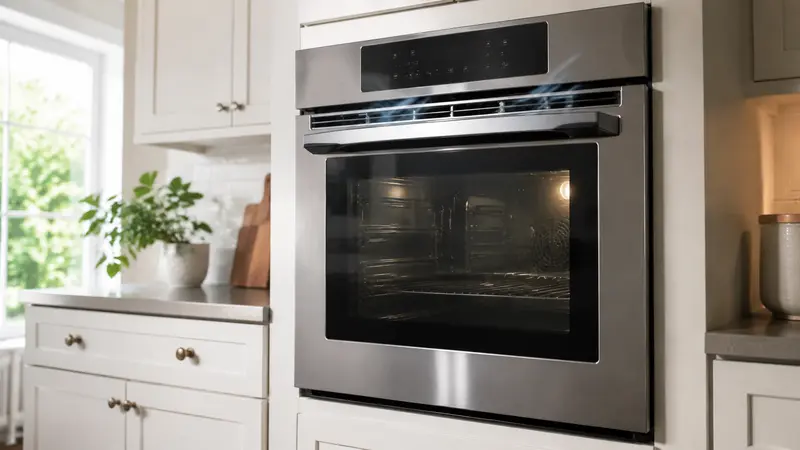
A Samsung oven SE or 5E display commonly points to a stuck or shorted control-panel key on applicable models, although Samsung code meanings vary by model. Stop cooking, clean and dry the controls, and power-cycle once.
Safety first: Turn the oven off and let it cool before inspecting anything. Disconnect power at the breaker before moving the appliance or removing a panel. Never test energized wiring. If you smell gas, leave the area and contact the gas utility or emergency service.
What Does Samsung Oven Se Error Mean?
On many Samsung ranges, SE can resemble 5E and relates to a control input that appears continuously pressed. Some model manuals assign codes differently, so verify the exact model before ordering a touchpad or board.
Error labels and service procedures can vary by model and production year. Use the model number from the appliance label when checking the owner’s manual or ordering parts. Do not assume that a code on one model has exactly the same test procedure on another.
Symptoms That Help Narrow Down the Problem
- The oven beeps repeatedly.
- Buttons stop responding.
- SE or 5E appears after cleaning or steam exposure.
- The code returns as the control warms.
- Cooking functions cancel unexpectedly.
Write down when the symptom appears, whether it follows a power interruption, and whether temperatures, airflow, sound, or cycle behavior changed. Those details help separate a temporary control event from a recurring component fault.
Most Likely Causes
1. Moisture or Cleaner on the Panel
Liquid around touch controls can create false inputs.
2. Physically Stuck Key
Grease or a damaged button can hold a switch closed.
3. Membrane Touchpad Failure
The keypad layer can short internally.
4. Ribbon Cable or Connector Fault
A damaged connection between keypad and control can mimic a stuck key.
5. Electronic Control Fault
The main oven control may misread a normal keypad.
Safe Step-by-Step Troubleshooting
Step 1: Cancel cooking
Use Off or Cancel if the panel responds and let the oven cool.
Step 2: Clean the surface safely
With the appliance off and cool, use a lightly damp cloth, then dry the panel completely. Do not spray cleaner into controls.
Step 3: Check for a stuck key
Press each external button gently once; do not pry keys or remove the console.
Step 4: Remove nearby steam and pans
Allow moisture near the control area to dry naturally.
Step 5: Power-cycle once
Turn the range breaker off for one minute and restore it.
Step 6: Stop if SE returns
Disconnect power and request service rather than repeatedly operating an unresponsive oven.
How to Reset It Safely
Turn the appliance off, let it cool, and switch the circuit breaker off for one minute. Restore power once. A reset may clear moisture-related input but cannot repair a shorted keypad or control.
After power is restored, allow the appliance time to restart and monitor it. Do not keep cycling the breaker if the code immediately returns or the breaker trips.
Parts and Components That May Be Involved
Diagnosis can involve the touchpad or membrane switch, individual key switches, ribbon cable, wiring connectors, and electronic oven control. Some models combine the keypad and control as one assembly.
Part numbers and diagnostic values are model-specific. Confirm the full model and serial number before any replacement, and avoid replacing parts based only on the display code.
When to Call a Professional
SE/5E returns after drying and one reset.,The oven starts or changes settings by itself.,Buttons remain unresponsive.,There is smoke, sparking, or burning odor.,Console disassembly or live testing is needed.
A qualified appliance technician can use model-specific service information and controlled tests to identify the failed circuit without exposing you to moving parts, sharp edges, gas, refrigerant, or hazardous voltage.
Frequently Asked Questions
What does SE mean on a Samsung oven?
On many models it means a control key is stuck or shorted, but confirm the model manual because code assignments vary.
Why does the display look like 5E?
Seven-segment displays can make S and 5 appear identical.
Can cleaning cause an SE code?
Moisture or cleaner entering the touch-control area can create false key inputs.
How do I reset Samsung oven SE?
Dry the controls, then switch power off at the breaker for one minute and restore it once.
Can I keep using the oven?
Not if controls are unreliable or the code returns. Disconnect power and schedule service.
Related Troubleshooting Guides
Samsung oven not heating guide, oven not heating guide, oven door troubleshooting.
Manufacturer reference: Samsung range and wall-oven error codes.