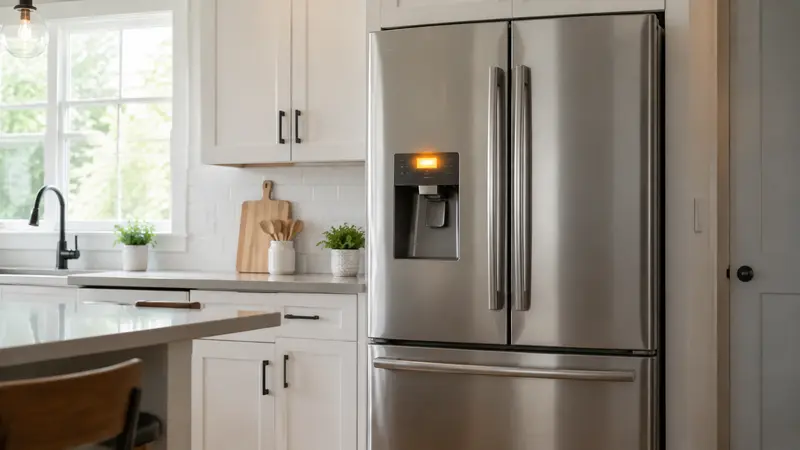
If your Samsung refrigerator keeps beeping, check every door and drawer first, then look for a blinking temperature display. Samsung identifies an open-door condition and high internal temperature—often after a power outage—as two of the most common reasons for the alarm.
If the display is flashing or food feels warmer than usual, protect perishable food and address the cooling problem instead of simply silencing the alarm.
Why Your Samsung Refrigerator Keeps Beeping
Samsung identifies several common reasons a refrigerator may beep
with the doors closed:
- A door is not completely shut, even if it appears closed from the
front. - The refrigerator temperature is too high, sometimes after a power
outage. - A door was recently removed and reinstalled, and its wire harness
was not reconnected correctly. - The sound is coming from another nearby device.
The pattern and display matter. A flashing temperature display points
you toward a temperature warning, while a regular chime after a door has
been open usually points toward the door alarm.
Why Is My Samsung Fridge Beeping When the Door Is Closed?
A closed-looking door can still leave a small gap if a package, drawer, or shelf is in the way, or if visible residue or a folded section of the gasket prevents a full seal. Check both doors and drawers, clean accessible gasket residue, and look at the temperature display. A recent power interruption can also leave an alarm active while the refrigerator recovers. If the Samsung refrigerator keeps beeping with the doors closed after these checks, especially with a temperature warning, message, or poor cooling, arrange service rather than assuming one sensor is at fault.
Samsung Refrigerator Keeps Beeping Even Though the Doors Are Closed
A beep that returns after the doors are closed is different from a one-time chime immediately after closing them. Note whether it started after a power outage, occurs with a flashing display, repeats continuously, or comes with warming food. Those patterns help distinguish a temporary alarm from a persistent condition that needs further review.
Safe Checks to Try in Order
1. Confirm Where the
Sound Is Coming From
Kitchens often contain several appliances that can beep. Listen close
to the refrigerator controls, then check the microwave, range,
dishwasher, smoke alarm, and any countertop timer.
If you still cannot identify the source and the refrigerator is
maintaining a safe temperature, briefly disconnecting refrigerator power
can help confirm whether it produced the sound. Do not leave it
disconnected longer than necessary, and avoid opening the doors while
power is off.
2. Open and Firmly
Close Every Door and Drawer
Check the refrigerator doors, freezer door or drawer, and any
convertible compartment. Remove packages, bins, or food containers that
touch the door. A tall bottle, overfilled shelf, or freezer package can
prevent the door from reaching the sensor even when the gap is difficult
to see.
Close each door firmly without slamming it. Then wait long enough to
determine whether the alarm returns.
3. Inspect the Gaskets
and Door Alignment
Wipe food residue from the rubber door gaskets using a soft cloth and
mild soap. Look for a folded section, tear, or loose area that prevents
full contact with the cabinet.
Check that the refrigerator is stable and the doors do not swing open
by themselves. If a door is visibly sagging, rubbing, or uneven, consult
the installation instructions for your exact model or request service.
Door adjustment procedures differ and large refrigerator doors are
heavy.
4. Look at the Temperature
Display
According to Samsung, beeping accompanied by a blinking temperature
display means the temperature inside is too high. This can occur after a
power outage, after the appliance is first connected, or when a door has
remained open.
Keep the doors closed and monitor the displayed temperature. If the appliance is not cooling, move perishable food to another working refrigerator or a properly iced cooler. Continue with our guide to a refrigerator that is not cooling rather than repeatedly clearing the alarm.
If the panel specifically shows OF OF, O FF, or OFF OFF, the refrigerator is in Cooling Off mode rather than reporting a door alarm. Follow our Samsung refrigerator OF OF guide.
5. Consider Recent
Door Removal or Installation
If the beeping began after the doors were removed for delivery,
moving, or repair, Samsung says an incorrectly reattached door
connection may be responsible. Consult the owner’s manual for the exact
wiring and installation procedure.
Do not remove hinge covers or handle internal wiring unless the model
instructions specifically describe a user installation step and the
refrigerator is disconnected from power. Request service if the door was
reinstalled incorrectly.
6. Check the Door Alarm Setting—Without Hiding a Real Problem
Some Samsung models allow the door alarm to be switched on or off
from the control panel. The exact button varies by model. Use the
owner’s manual rather than guessing a button combination.
Turning off the alarm does not correct a warm refrigerator or a door
that is not sealing. Resolve the underlying condition first.
Samsung Refrigerator Beeping After a Power Outage
After a power outage, the refrigerator’s internal temperature may have risen and some Samsung models may continue an alarm after power returns. Keep the doors closed as much as possible, check the temperature display, and allow the appliance time to recover. If the alarm needs to be acknowledged or reset, use the instructions for the exact model rather than trying a universal button combination.
Samsung Refrigerator Beeping and Not Cooling
Beeping together with warm food, a flashing temperature display, or poor cooling needs more attention than a one-time door alarm. Check that the power cord is secure, the outlet and breaker have not lost power, the doors close fully, and there is adequate space around the refrigerator for ventilation. Listen for normal operation, but do not open panels or diagnose internal components from sound alone. For a persistent cooling problem, see our Samsung refrigerator not cooling guide.
When to Stop DIY
Troubleshooting
Disconnect the refrigerator and arrange qualified service if you
notice a burning smell, sparking, a damaged power cord, or liquid near
electrical components. Request service when:
- The alarm continues after all doors are confirmed closed.
- The temperature display keeps flashing or temperatures keep
rising. - A door sensor, hinge, or wire connection appears damaged.
- The refrigerator was recently moved and a door is misaligned.
- The appliance also makes a new loud mechanical sound. Our guide to
refrigerator
noises can help distinguish normal operation from a service
symptom.
Food Safety During a
Temperature Alarm
The USDA states that an unopened refrigerator generally keeps food
cold for about four hours during a power outage. Keep the doors closed.
Discard refrigerated perishable food that has been above 40°F for four
hours or more, and never taste food to decide whether it is safe.
Frequently Asked Questions
Samsung reference: Understanding
the different noises coming from your refrigerator.
Why is my Samsung refrigerator beeping randomly?
An apparently random beep can be an intermittent door or temperature alarm. Note when it occurs, whether a door was recently opened, whether the display changes, whether power was interrupted, and whether any message appears.
Why does my Samsung refrigerator keep beeping?
A repeating beep can be a door alarm, a high-temperature warning, or a model-specific alert. Check doors, drawers, the display, recent power loss, and any code or message before trying to silence it.
Why is my Samsung refrigerator beeping after a power outage?
Power loss can raise the internal temperature and trigger an alarm when electricity returns. Keep the doors closed, monitor the display, and use the exact model manual if an acknowledgment step is needed.
Why is my Samsung refrigerator beeping and not cooling?
A warm refrigerator with an alarm may have a temperature or cooling problem. Protect perishable food, check the external power and door closure, and arrange service if temperatures do not recover.
How do I stop my Samsung refrigerator from beeping?
Close every door and drawer firmly, remove anything blocking the seals, and check whether the temperature display is blinking. If the alarm returns with the doors closed, do not mask it by disabling the sound—investigate temperature, alignment, or a recent door installation.
Why
is my Samsung refrigerator beeping when both doors are closed?
The door may not be fully seated, the temperature may be high, a
recently reinstalled door connection may be incorrect, or the sound may
come from another appliance. Check the display and door fit before
changing alarm settings.
Why is the temperature
number blinking?
Samsung associates beeping plus a blinking temperature display with
an elevated internal temperature. Keep the doors closed, protect
perishable food, and investigate the cooling issue.
Can a dirty gasket
trigger the door alarm?
Residue or a folded gasket can prevent a complete seal. Clean the
gasket gently and make sure packages are not pushing the door
outward.
Should I disable the door
alarm?
Not until you have ruled out a warm compartment or incomplete door
closure. Disabling the sound can hide a condition that may spoil
food.
Does beeping mean the
ice maker is broken?
Not usually. Door and temperature warnings are more common
explanations. If ice production is the only problem, use the separate refrigerator
ice maker troubleshooting guide.
When
should I call Samsung or an appliance technician?
Call when the alarm persists after the safe checks, the refrigerator
cannot hold temperature, a door was incorrectly reinstalled, or you see
damaged wiring, hinges, or controls.