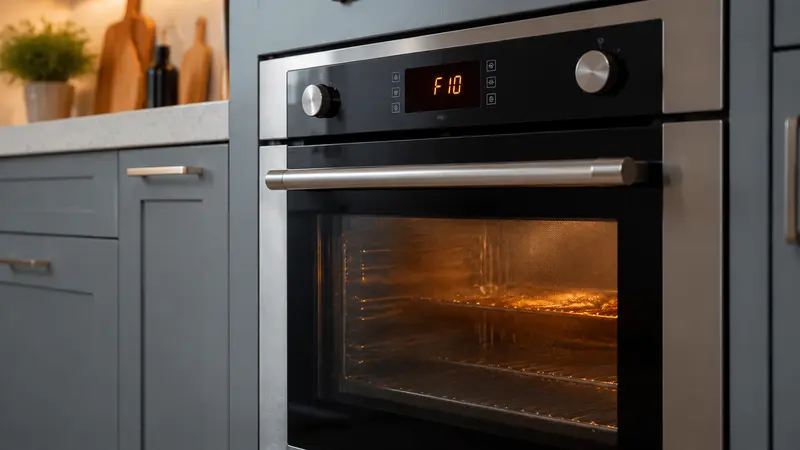
LG oven F9 indicates that the upper oven is not heating properly on supported ranges. Press CLEAR/OFF, retry once, then reset the breaker for 30 seconds if the code returns.
Safety first: Turn the oven off and let it cool before inspecting anything. Disconnect power at the breaker before moving the appliance or removing a panel. Never test energized wiring. If you smell gas, leave the area and contact the gas utility or emergency service.
What Does Lg Oven F9 Error Mean?
LG’s current range code list ties F9 to upper-oven heating performance. This is different from codes involving door locks or communication, and it should not be assumed to have the same meaning on another brand.
Error labels and service procedures can vary by model and production year. Use the model number from the appliance label when checking the owner’s manual or ordering parts. Do not assume that a code on one model has exactly the same test procedure on another.
Symptoms That Help Narrow Down the Problem
- F9 appears during preheat.
- The upper oven stays cool or warms slowly.
- The cooktop may still operate.
- Gas ignition may fail or an electric element may remain cold.
- The code returns immediately after restart.
Write down when the symptom appears, whether it follows a power interruption, and whether temperatures, airflow, sound, or cycle behavior changed. Those details help separate a temporary control event from a recurring component fault.
Most Likely Causes
1. Power Supply Problem
An electric oven may lose part of its required supply while controls still illuminate.
2. Gas Supply or Ignition Fault
On gas models, the shutoff, igniter, valve, or burner system can prevent heating.
3. Failed Heating Element
An upper bake or broil element may open on electric models.
4. Temperature Sensor Problem
An incorrect sensor signal can prevent safe heating control.
5. Relay, Wiring, or Control Fault
The control may not energize the heating system as expected.
Safe Step-by-Step Troubleshooting
Step 1: Press CLEAR/OFF
Cancel the failed function and wait for movement or ignition attempts to stop.
Step 2: Check the selected cavity
Confirm the upper oven was selected on a double-oven range.
Step 3: Observe without disassembly
Note whether the element glows, gas ignition clicks, or any gas odor occurs.
Step 4: Check the breaker
Reset a linked double-pole breaker once if there is no damage or repeated trip.
Step 5: Retry the original function once
LG advises a single retry after CLEAR/OFF.
Step 6: Reset for 30 seconds
If F9 returns, switch the breaker off for 30 seconds, restore it, and stop if the code reappears.
How to Reset It Safely
LG’s published F9 procedure is CLEAR/OFF, retry the function, then turn the circuit breaker off for 30 seconds if the code reappears. Continued failure requires service.
After power is restored, allow the appliance time to restart and monitor it. Do not keep cycling the breaker if the code immediately returns or the breaker trips.
Parts and Components That May Be Involved
Depending on gas or electric design, diagnosis may involve the igniter, gas valve, bake or broil element, oven sensor, relay board, wiring, or main control.
Part numbers and diagnostic values are model-specific. Confirm the full model and serial number before any replacement, and avoid replacing parts based only on the display code.
When to Call a Professional
You smell gas.,F9 returns after LG’s reset.,The breaker trips or wiring appears damaged.,The upper oven never heats while controls operate.,Diagnosis requires gas-pressure or live-voltage testing.
A qualified appliance technician can use model-specific service information and controlled tests to identify the failed circuit without exposing you to moving parts, sharp edges, gas, refrigerant, or hazardous voltage.
Frequently Asked Questions
What does F9 mean on an LG oven?
LG identifies F9 as the upper oven not heating properly on supported ranges.
How do I reset LG oven F9?
Press CLEAR/OFF and retry once. If it returns, switch the breaker off for 30 seconds and restore power.
Why does the cooktop work while the oven shows F9?
Cooktop and oven heating circuits are separate, so working burners do not prove the upper oven’s ignition, element, sensor, or relay is operating.
Is F9 the same on gas and electric LG ranges?
The code describes a heating failure, but the components differ. Gas models use ignition and valve parts; electric models use heating elements and 240-volt power.
Can I replace the igniter without testing?
No. F9 does not identify one universal failed part. Use model-specific diagnosis.
Related Troubleshooting Guides
oven not heating guide, Samsung oven not heating guide.
Manufacturer reference: LG range error-code list.