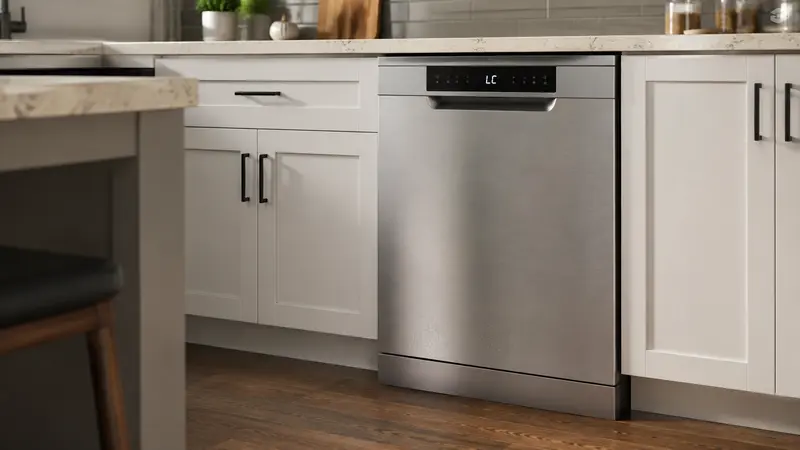
A Samsung dishwasher LC or LE code means the dishwasher has detected moisture where it should not be, which may indicate a leak. The machine may stop a cycle or run the drain pump continuously as a protective response.
Do not treat the code as something to repeatedly reset. First check for visible water, installation problems, and excessive suds.
Safety first: If water is spreading across the floor, turn off the dishwasher and shut off its water supply if the valve is safely accessible. Avoid standing in water near electrical connections.
What Does LC or LE Mean?
On supported Samsung dishwashers, LC or LE is associated with leak detection.
The sensor can react to a real plumbing or tub leak, but moisture can also reach the base because of oversudsing, an installation issue, or water spilled around the unit.
7 Safe Checks to Try
1. Look for Visible Water
Inspect the floor in front of and beside the dishwasher.
If water is actively leaking, stop using the appliance until the source is found.
2. Check the Sink Cabinet Connections
Look under the sink where the dishwasher water-supply and drain hoses connect.
Check for dripping fittings, loose connections, or water running down the outside of a hose.
Do not tighten damaged or corroded plumbing aggressively.
3. Confirm the Correct Detergent Was Used
Hand dishwashing liquid can create excessive foam in a dishwasher.
Oversudsing can force water into areas that trigger leak detection. Use only detergent labeled for automatic dishwashers and use the amount recommended for your water conditions and machine.
4. Check for an Overfilled Rinse-Aid Dispenser
Spilled rinse aid or detergent residue around the dispenser can contribute to foaming.
Wipe accessible spills with a damp cloth and follow the owner’s manual for filling levels.
5. Make Sure the Dishwasher Is Level
A machine tilted too far forward or to one side may allow water to reach areas it normally would not.
Use the installation instructions for your model when checking leveling feet.
6. Inspect Accessible Door-Seal Areas
With the machine off, wipe food debris from the visible door gasket and tub edge.
A torn gasket, warped door, or damaged hinge should be serviced rather than improvised.
7. Let a Qualified Technician Handle Internal Leaks
If no external cause is visible and the LC/LE code returns, water may be reaching the base from an internal hose, pump, seal, or tub component.
Internal leak diagnosis generally requires removing panels and should be left to a qualified technician.
Why Does the Dishwasher Keep Draining?
Some Samsung models may run the drain pump when leak detection is active in an effort to remove water and reduce the chance of overflow.
Repeated draining without accepting a new cycle is a strong reason to stop resetting the machine and investigate the leak condition.
When to Call a Professional
Arrange service if:
- LC/LE returns after accessible spills and plumbing connections are checked.
- Water appears beneath the dishwasher.
- The drain pump runs continuously.
- The door, tub, or hoses appear damaged.
- The breaker trips or there is an electrical odor.
- You cannot safely identify where the moisture is coming from.
Frequently Asked Questions
Can LC appear without a puddle on the floor?
Yes. Moisture may be detected in the dishwasher’s base before it becomes visible outside.
Can the wrong detergent cause LC?
Excessive suds can contribute to water or foam reaching areas that should remain dry.
Should I keep resetting the dishwasher?
No. A repeated leak code should be treated as a condition to diagnose, not simply clear.
Is LC the same as a drain error?
No. LC/LE is a leak-detection code on supported models. A drain-code article covers a different problem.
Related Troubleshooting
If the dishwasher has standing water but no leak code, see Dishwasher Not Draining? 8 Common Causes and Safe Fixes. For poor wash results, see Dishwasher Not Cleaning Dishes? 8 Causes and Safe Fixes.