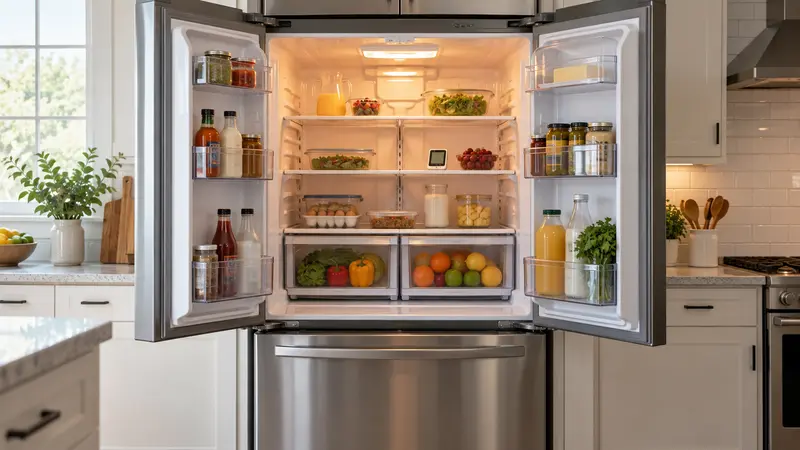
If your Samsung refrigerator is not cooling, first check the displayed temperatures and make sure the panel does not show “OF OF” or “O FF.” Then verify that the doors seal, vents are not blocked, and the appliance has power. Move perishable food to a working refrigerator or insulated cooler while you troubleshoot, and follow current USDA food-safety guidance.
First, Identify the Cooling Pattern
The pattern narrows the diagnosis before you reset anything:
- Refrigerator warm, freezer cold: blocked airflow, frost around the evaporator, a refrigerator fan problem, or a damper issue is likely.
- Both sections warm: check power, Cooling Off mode, temperature settings, condenser airflow, compressor operation, and error codes.
- Display says OF OF or O FF: the refrigerator is in Samsung Cooling Off (Demo) mode, which disables cooling.
- Intermittent cooling with beeping: inspect door closure, seals, and the display for alerts.
Samsung Family Hub, Bespoke, French-door, side-by-side, and FlexZone models do not all use the same buttons or airflow layout. Use the full model number from the label inside the refrigerator compartment to find the correct manual.
10 Safe Checks for a Samsung Refrigerator That Is Not Cooling
1. Confirm the Refrigerator Has Full Power
Interior lights or a working display do not prove that every cooling circuit is operating. Verify the plug is fully seated and check the home’s breaker. Do not use an extension cord. If the breaker trips again after one reset, leave it off and call an electrician or appliance technician.
2. Make Sure Cooling Off Mode Is Disabled
Samsung refrigerators may display “OF OF,” “O FF,” or a similar message when showroom mode is active. Cooling Off mode keeps lights and controls working while the compressor and cooling system remain off. The exit button combination varies by model, so follow our Samsung refrigerator OF OF guide and confirm the exact sequence in your owner’s manual.
3. Check the Temperature Settings
Samsung generally recommends a refrigerator setting of 37°F and a freezer setting of 0°F, while food-safety guidance calls for keeping the refrigerator at 40°F or below. Make one adjustment at a time. Do not expect an immediate reading change; Samsung notes that stabilization after a setting change can take many hours.
4. Verify the Doors Close and Seal
A slightly open door allows warm, humid air inside and may create frost that blocks airflow. Remove packages that prevent closure. Clean the gasket with mild soap and water, dry it, and inspect for tears or areas pulled out of the channel. Confirm bins and shelves are fully seated. If the refrigerator rocks or the doors do not close naturally, check leveling according to the model manual.
5. Unblock Interior Air Vents
Cold air must circulate between compartments. Move food away from rear and side vents and avoid packing items tightly against the back wall. Do not place hot food directly into the refrigerator. After rearranging, keep the doors closed as much as possible and monitor with a separate appliance thermometer.
6. Look for Heavy Frost or Ice Buildup
A thick frost layer on the rear freezer or refrigerator panel can indicate a defrost-system or airflow fault. Do not chip ice with a knife, screwdriver, or heat gun; those methods can puncture a refrigerant line or damage plastic. Visible recurring frost often requires diagnosis of the defrost heater, sensor, thermal fuse, drain, fan, or control system.
7. Listen for the Evaporator and Condenser Fans
Depending on the model, fans may stop when a door opens. Hold the door switch only if the manual identifies it and keep fingers and tools away from moving blades. A scraping sound can mean ice is touching a fan. Silence does not automatically prove a failed fan because the control may cycle it off. A technician can test the fan motor, wiring, and control signal safely.
8. Check External Airflow and Accessible Condenser Areas
Allow the clearances specified in the installation guide and make sure ventilation openings are not covered. Some Samsung models have condenser components that are not intended for routine owner cleaning. Clean only areas the owner’s manual identifies as accessible, with power disconnected. Never remove a rear cover just to vacuum internal components.
9. Record Error Codes Before Resetting
A Samsung display may show a code, flashing segment, or diagnostic message that identifies the affected system. Photograph or write it down first. For example, a Samsung refrigerator 22E error points toward a refrigerator fan issue rather than a simple temperature-setting problem. Use the exact model’s code chart because meanings can vary.
10. Perform One Safe Power Reset
If there is no burning smell, water near electrical parts, or repeated breaker trip, unplug the refrigerator or switch off its dedicated breaker for about five minutes, then restore power. A reset may clear a temporary control fault, but it does not repair a failed fan, sensor, compressor, sealed-system leak, or defrost component. Avoid repeated resets because they can erase useful symptoms and delay service.
What Parts Can Cause a Samsung Refrigerator to Stop Cooling?
Possible components include the evaporator fan, condenser fan on applicable models, temperature sensor, defrost heater, defrost sensor or thermal fuse, air damper, main control board, inverter board, compressor, start/inverter electronics, and sealed refrigerant system. Some Samsung models use multiple evaporators and independent compartment controls, so the warm section matters. Part numbers must be matched to the complete model and revision code.
Safe Step-by-Step Diagnostic Order
- Protect food and measure both compartments with an appliance thermometer.
- Record the display, error codes, unusual sounds, and whether one or both sections are warm.
- Check power, Cooling Off mode, and temperature settings.
- Inspect door closure, gaskets, packages, and interior vents.
- Look for abnormal frost without removing panels or using sharp tools.
- Verify installation clearances and clean only manufacturer-approved accessible areas.
- Perform one five-minute power reset if it is safe to do so.
- Allow time for temperatures to stabilize while monitoring actual food temperature.
When to Call a Professional
Arrange service if both sections remain warm, frost returns after a full thaw, a fan scrapes or does not run, the compressor repeatedly clicks, an error code returns, or cooling does not improve after the safe checks. Stop immediately for a burning smell, smoke, damaged wiring, an electrical shock, repeated breaker trips, or oily residue that may indicate a sealed-system leak. Refrigerant, inverter, compressor, and live-voltage work require trained service equipment.
Related Refrigerator Troubleshooting
For a broader symptom-based checklist, use our refrigerator not cooling guide. If the display shows demo mode, go directly to the Samsung OF OF instructions. If a 22E code appears, follow the Samsung 22E troubleshooting guide.
Frequently Asked Questions
Why is my Samsung refrigerator running but not getting cold?
The appliance may be in Cooling Off mode, have blocked airflow, a door-seal leak, frost-covered evaporator, failed fan, sensor fault, defrost problem, or sealed-system issue. Determine whether one or both compartments are warm before replacing parts.
How do I reset a Samsung refrigerator that is not cooling?
Record any codes first. If no electrical hazard is present, disconnect power at the plug or dedicated breaker for about five minutes, then restore it. Button combinations and diagnostic resets vary, so use the specific model manual.
How long should a Samsung refrigerator take to cool after a reset?
You may hear operation resume quickly, but temperature recovery takes hours and depends on room temperature, door openings, and food load. Samsung advises allowing up to about 28 hours after a temperature-setting adjustment for full stabilization. Monitor with an appliance thermometer rather than relying only on the display.
Why is the freezer cold but the Samsung refrigerator section warm?
Cold freezer temperatures with a warm fresh-food section usually point toward restricted airflow, a frost-covered evaporator, a refrigerator evaporator fan fault, or an air-damper problem on models that use one.
Does Power Cool fix a refrigerator that is not cooling?
No. Power Cool temporarily changes operation to cool faster, but it cannot repair a fan, sensor, defrost, compressor, or refrigerant-system fault.