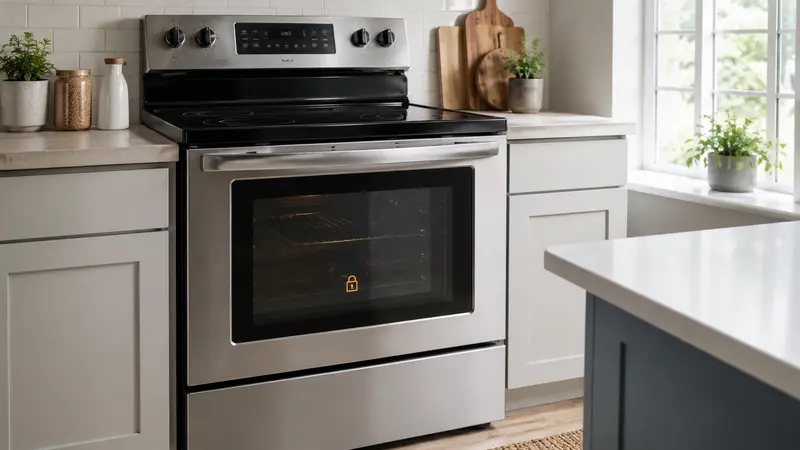
An LG oven locks its door during self-clean because the cavity
reaches temperatures far above normal baking. The latch should remain
engaged until the oven has cooled to a safe level. A door that stays
locked immediately after the cycle is not necessarily broken.
Never force the handle, pry the latch, or dismantle the door while
the oven is hot or energized.
Why the Door Stays Locked
Self-clean uses a motorized lock and temperature-based safety
controls. The oven may continue cooling for a substantial period after
the cleaning timer ends. The lock light can remain on until the safety
system confirms an acceptable temperature.
Room temperature, cycle length, and model design affect cooling time.
Use the model manual rather than assuming one universal wait period.
Safe Steps to Try
1. Let the Oven Cool
Completely
Turn the oven off and leave the door closed. Do not pull repeatedly
on the handle. Keep children and pets away from the range because
exterior surfaces may remain hot.
Wait for the lock indicator to turn off and for the appliance to
cool. If the display still shows high temperature, continue waiting.
2. Confirm
the Self-Clean Cycle Is Canceled or Finished
Use the Clear/Off or Cancel control specified in the LG manual. Some
models require the cycle to be canceled before the cool-down and unlock
process completes.
Do not enter unrelated button sequences or start another self-clean
cycle to “reset” the latch.
3. Check for an Error Code
Write down any displayed code exactly. Do not repeatedly clear it. A
persistent lock-related or temperature-sensor code can help LG support
identify the correct service path.
4. Perform
a Documented Power Reset Only After Cooling
If the oven is fully cool and the controls are unresponsive, switch
off the range or wall oven’s circuit breaker for the interval LG
specifies, then restore power once. Stand on a dry floor and use only
the correctly labeled breaker.
If the door remains locked, do not keep cycling power. Arrange
service.
5. Inspect Only What Is
Visible
After the oven is cool, look through the door area for an obvious
obstruction, but do not insert tools around the latch. Do not remove the
cooktop, control panel, door, or rear cover.
This symptom differs from an oven door
that will not close, which may involve hinges, racks, or alignment
rather than a self-clean lock.
What Never to Do
- Do not force the handle or pry the door.
- Do not slide a wire or tool around the latch.
- Do not disassemble the lock while energized.
- Do not pour water on or into a hot oven.
- Do not start another self-clean cycle to release the door.
- Do not bypass a temperature sensor or safety lock.
Forcing the door can damage the latch, glass, hinges, or frame and
may expose you to extreme heat.
When to Call LG or a
Technician
Request service when the oven is completely cool but the lock remains
engaged, when an error code persists, or when the lock motor repeatedly
clicks without releasing. Also call if:
- The self-clean cycle stopped after a power failure.
- The control panel is blank or unresponsive.
- The breaker trips.
- You smell burning electronics or see smoke unrelated to normal
residue burn-off. - The oven heats when it should be off.
If the oven later unlocks but will not heat, use our oven not
heating guide. If cooking temperatures are inaccurate, see oven
temperature testing and calibration.
Frequently Asked Questions
LG reference: Troubleshooting
a Locked Oven.
How long
will an LG oven stay locked after self-clean?
It remains locked until the safety system determines the oven has
cooled sufficiently. The time varies by model, cleaning cycle, and room
conditions.
Can I force the
lock open once the timer ends?
No. The cavity may still be dangerously hot, and force can damage the
latch, hinges, frame, or glass.
Why is the oven cool but
still locked?
A control state, latch motor, temperature-sensing problem, or
interrupted cycle may require a documented reset or professional
service.
Is it safe to turn off the
breaker?
After the oven is fully cool, a model-documented power reset can be
appropriate. If the door stays locked, stop repeating resets and call
for service.
Should I run
self-clean again to unlock it?
No. Another high-temperature cycle can make the situation worse and
does not diagnose the latch problem.
What
if the oven keeps heating after I cancel self-clean?
Switch off power at the breaker if safe, keep away from the
appliance, and request urgent service.