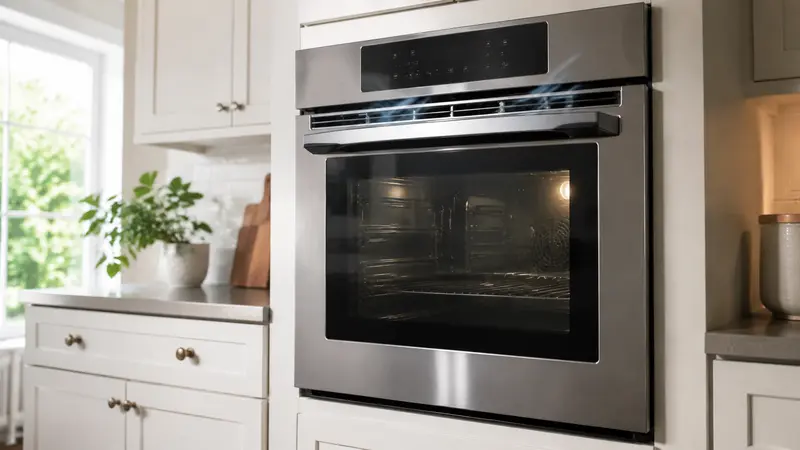
A Samsung oven fan won’t stop after cooking is often normal: many models use a cooling fan to protect the controls and nearby components while the oven cools. The key question is whether the oven is still warm and the fan eventually shuts off. A fan that keeps running when the oven is fully cool, starts on a cold oven, or is paired with continued heating needs professional attention.
Do not block the vents or try to stop the fan by hand. Samsung ovens vary by model, so use your owner’s manual for model-specific fan behavior and controls.
Is It Normal for a Samsung Oven Fan to Keep Running?
Yes, it can be. The sound after cooking is often the cooling fan, which moves air around electronic and exterior areas as internal temperatures fall. It is different from the convection fan that circulates hot air inside the oven cavity during compatible cooking modes.
Cooling fan vs. convection fan
A cooling fan may run during or after baking, broiling, convection cooking, or self-cleaning. A convection fan operates inside the cavity during applicable modes and may cycle on and off. Check the manual for your exact Samsung model instead of removing panels to identify a fan.
Samsung Oven Fan Keeps Running After Cooking
There is no universal shutoff time for every Samsung oven. A hotter or longer cooking cycle, self-cleaning, a warm kitchen, or a built-in installation can all make cool-down take longer. What matters is that the oven cools and the fan eventually stops.
Samsung Oven Fan Running After the Oven Is Off
First, check whether the oven is truly off and cooling normally. Press the usual Off/Clear control and confirm that no timed cook, delay start, warming, or self-clean mode remains active. On a double oven, check both cavities.
Check whether the oven is still hot
Keep ventilation openings clear and let the appliance cool naturally. Do not cover vents with foil, towels, cookware, or decorative covers, and do not pour water into a hot oven to speed cooling.
Check the oven settings and cycle
Convection, broil, high-temperature cooking, and self-clean can leave more heat inside the appliance. A steady airflow sound while the oven cools can be normal. Record any error code rather than repeatedly resetting the oven.
Samsung Oven Cooling Fan Won’t Turn Off
Samsung Oven Fan Still Running When the Oven Is Cool
A Samsung oven fan that stays on after the oven is completely cool may point to a control, temperature-sensing, relay, or fan-circuit problem. Those parts and their behavior vary by model, so they require diagnosis by a qualified technician rather than panel removal or live electrical testing.
Stop using the oven and arrange service if the fan starts with a cold oven, runs indefinitely after normal cool-down, makes scraping or grinding sounds, or appears with flickering controls, a tripped breaker, or a burning-electronics smell. If the oven also keeps heating after Off/Clear, switch off the dedicated breaker if it is safe to do so and request urgent service.
Safe Power Reset
If the oven is completely cool, the fan continues indefinitely, and the controls do not respond, turn off the dedicated breaker once for the interval specified in your Samsung owner’s manual. Restore power once and observe the oven. Do not repeatedly cycle the breaker, and do not use a reset to continue operating an oven that is overheating, tripping a breaker, or showing a recurring code.
What Not to Do
Do not remove the rear cover, control panel, or fan guard; test energized circuits; touch fan blades; or attempt to replace relays or sensors. Ranges and wall ovens contain high voltage, hot surfaces, sharp metal, and heavy components. Never block a fan or vent to silence the noise.
When to Call a Technician
Schedule qualified service when the fan runs after the oven is cold, starts from a cold condition, makes abnormal mechanical noise, or returns after a documented reset. Call urgently if the oven continues heating after shutdown, the breaker trips, controls flicker, or you smell burning electronics.
If cooking temperatures seem inaccurate but the fan stops normally, see our oven temperature troubleshooting guide. If the oven will not heat, use our Samsung oven not heating guide. For a high-temperature warning on applicable Samsung models, see Samsung oven C-21 error safety steps.
Frequently Asked Questions
Why is my Samsung oven fan still running after I turn it off?
It may be the automatic cooling fan protecting internal electronics while the oven cools. A fan running for a while after cooking is not automatically a fault.
Is a Samsung oven fan running after cooking normal?
It can be normal, particularly after hotter or longer cycles. Do not rely on a single time limit; confirm that the oven is cooling and the fan eventually stops.
What if my Samsung oven fan stays on when the oven is cold?
Use one owner-manual-approved power reset. If the fan returns on a cold oven or will not stop after it is fully cool, arrange qualified service.
Can I turn off the cooling fan myself?
No. Do not block vents, unplug internal wiring, or bypass controls. The cooling fan protects components and cabinetry from excess heat.
What if the fan runs and the oven keeps heating?
That is not normal cool-down behavior. Turn off power at the breaker if safe and seek urgent professional service.
Can convection mode keep the fan running?
Convection cooking can involve a cavity fan, while a cooling fan may continue after cooking. Their operation varies by model, so check the manual before assuming a fault.
Should I reset the oven?
Use only the owner-manual-approved power reset after the oven is cool. A reset may clear a temporary control issue, but it does not repair a fan that repeatedly runs when the oven is cold.
When should I call a technician?
Arrange service for persistent fan operation with a cool oven, unusual noise, error codes, a burning smell, a tripped breaker, or an oven that does not shut down properly.
Samsung reference: Oven fan is making a noise, not working, or won’t turn off.