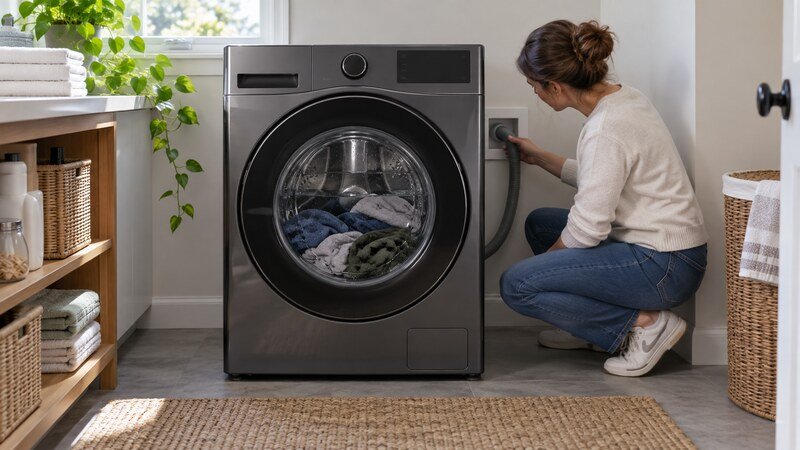
A Samsung washer may refuse high-speed spin when the load is unbalanced, water has not drained, excess suds remain, or the door or lid is not locked. Start with the display code, load, cycle, and drain path. Front-load and top-load Samsung washers use different filters, suspension, and drive parts, so do not follow a component procedure unless it matches the full model number.
Safety first: Stop the appliance and disconnect power before removing a filter cover, access panel, hose, or internal part. Never test energized components. For gas dryers, wiring, a repeatedly tripping breaker, a burning smell, a hot cord, a leak, or major disassembly, use a qualified technician.
What the Symptom Tells You
- Ub or Ur: redistribute the load and level the washer.
- 5C/5E/SC/SE: address drainage before spin.
- dC/dE: door or lid closure is not being confirmed.
- Repeated slow spin with no error: allow balancing, then check suds and load size.
Samsung Washer Not Spinning? Step-by-Step Diagnosis
1. Rebalance the Load
Pause the cycle and separate tangled sheets. Distribute heavy items evenly in a top loader or remove several items from an overloaded front loader. A single bath mat or comforter can remain off center. Samsung may repeatedly tumble or pulse before canceling spin and showing Ub or Ur.
2. Confirm the Spin Setting
Check that No Spin or a very low speed was not selected. Delicate and specialty cycles can limit final speed. Run Rinse + Spin or Spin Only if the exact model offers it, using a small balanced load.
3. Reduce Excess Suds
Too much detergent cushions the load and can prevent accurate sensing or complete draining. Use HE detergent where specified and follow the amount for soil level and water hardness. Run an extra rinse without adding detergent if visible suds remain.
4. Solve Drainage First
Samsung will not accelerate a water-filled drum. Inspect the drain hose for kinks and verify that it is installed at the correct height. On front-load models with an accessible debris filter, turn power off, drain through the emergency hose if provided, and clean the filter according to the manual.
5. Check Door or Lid Lock
Remove clothing from the seal or latch area and close the door firmly. A dC/dE-family message, repeated clicking, or a lock that releases unexpectedly needs service. Never bypass the lock; high-speed spin creates serious injury risk.
6. Level the Washer
Use the top surface as a reference and confirm all feet contact the floor. A rocking cabinet can trigger repeated balancing. Tighten adjustable feet according to the installation instructions and avoid soft, unstable flooring.
7. Inspect Suspension Symptoms
Top-load suspension rods and front-load shocks control movement. A basket that sits low, bangs the cabinet, or continues to go out of balance with ordinary loads may have worn suspension. Internal replacement requires power and water disconnection.
8. Pump, Belt, or Drive-System Fault
A blocked pump can prevent spin; belt-driven variants may have belt or pulley wear; direct-drive models use motor and sensor systems. Do not assume every Samsung washer has the same parts. Grinding, burning odor, or leakage requires immediate shutdown.
9. Motor Sensor, Wiring, or Control
A 3C-family code can point toward motor operation on supported models. A hall sensor, harness, inverter, or main control may be involved. Diagnosis requires the model service information and safe electrical testing by a technician.
Codes and Model-Specific Clues
Ub and Ur relate to an unbalanced load; 5C/5E/SC/SE families relate to drainage; dC/dE families relate to door or lid closure; 3C-family messages can relate to the motor. Samsung naming varies, so verify the exact model display.
When to Call a Professional
Schedule professional service when the safe external checks do not solve the problem, the same code returns, or diagnosis requires a meter, internal wiring access, appliance removal, gas work, or major disassembly. Stop immediately for smoke, a burning or gas odor, sparking, a hot plug, a repeated breaker trip, water near electrical parts, or severe mechanical noise. Give the technician the full model number, the exact code, when the failure occurs, and whether a basic test cycle changed the symptom.
Samsung Washer Not Spinning by Washer Type or Feature
Washer design changes which external checks matter most. For a machine with a lid, start with the Samsung top-load spin troubleshooting guide. If yours has a front door, see the front-load washer guide for door-lock, drainage, suds, and drum-specific checks. Owners of a model with the built-in pretreat function can use the Active WaterJet spin guide, while a washer labeled VRT is covered in the Samsung VRT troubleshooting guide.
Related Troubleshooting Guides
These published guides may help you compare the symptom: Samsung washer Ub balancing guide, Samsung washer drain error checks, washer not spinning.
Frequently Asked Questions
Why is my Samsung washer not spinning clothes dry?
The load may be unbalanced, the spin speed may be low, suds may remain, or drainage or locking may be incomplete.
How do I fix Samsung Ub or Ur?
Redistribute the load, remove bulky items if needed, and confirm the washer is level on a solid floor.
Can a clogged filter stop spinning?
Yes. On models with a pump filter, a blockage can leave water in the drum and prevent high-speed spin.
How do I reset a Samsung washer?
Disconnect power for several minutes and retry after correcting the visible cause. A reset does not fix a blocked pump or failed lock.
Why does the drum turn slowly but never speed up?
The machine may be balancing, detecting suds, or waiting to drain. Persistent behavior can involve suspension, sensing, or the drive system.
Bottom Line
Start with the checks that do not require disassembly: note the cycle behavior, correct the load or installation issue, inspect the accessible airflow or drainage path, and perform only the documented reset for the exact model. If the problem returns, stop guessing and have the relevant safety, drive, sensor, wiring, and control components tested professionally.